New mobile feature design increased satisfaction and reduced reliance on third-party tools.
American Express Mobile Categorization
Built native spending categorization that eliminated the need for third-party budget apps.
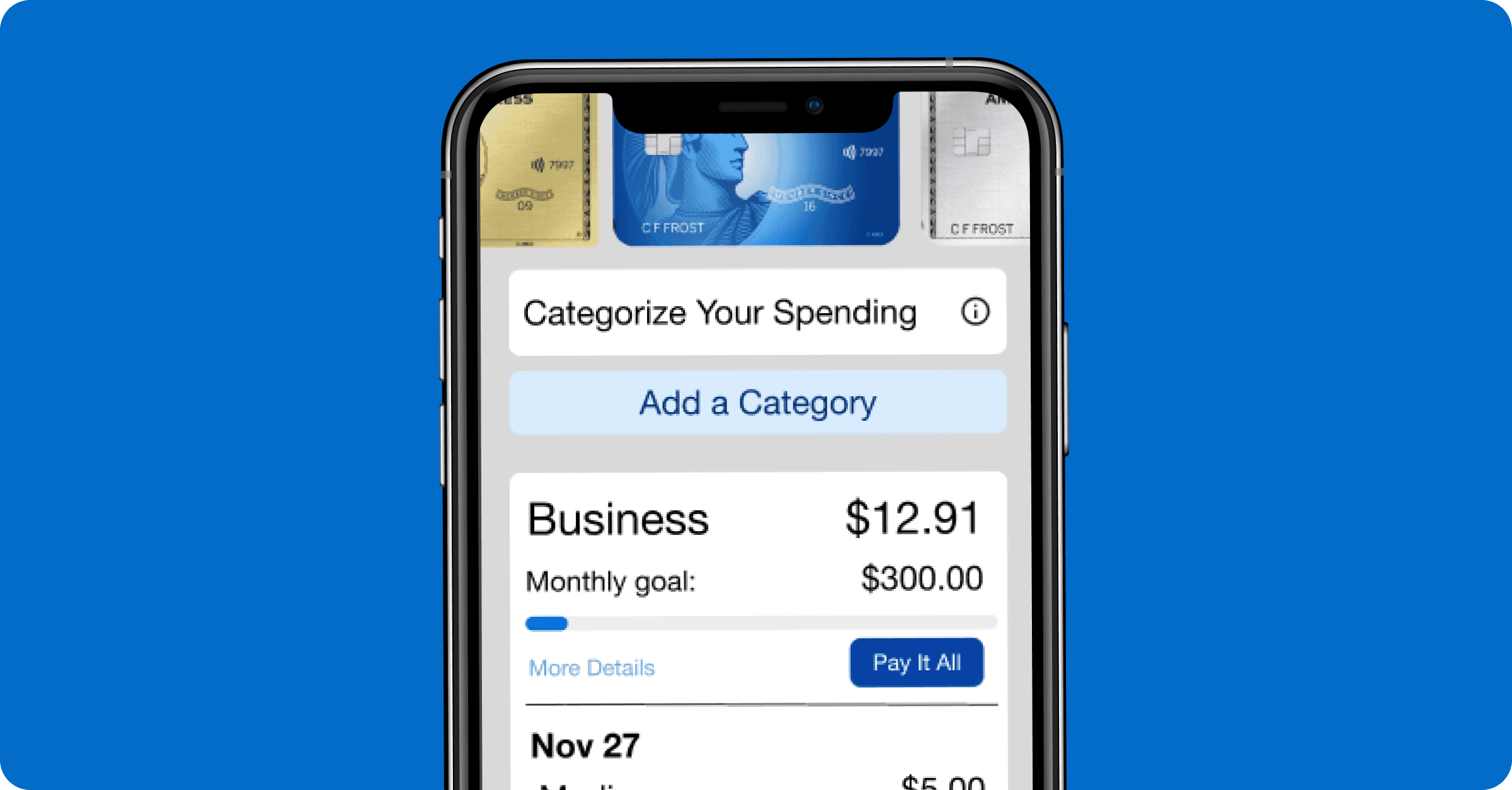
Conceptual feature, not affiliated with American Express
Timeline:
Role:
Tools Used:
Key Skills:
Figma
Loom
Maze
Mobile UX
Data visualization
Content Strategy
The Challenge
Impact: Redesigned mobile spending categorization to reduce third-party app reliance, achieving 92% intuitive and 84% ease-of-use ratings in prototype user validation.
Amex users were leaving the app frustrated. We had no way to see spending breakdowns on mobile, forcing us to rely on third-party tools like Rocket Money.
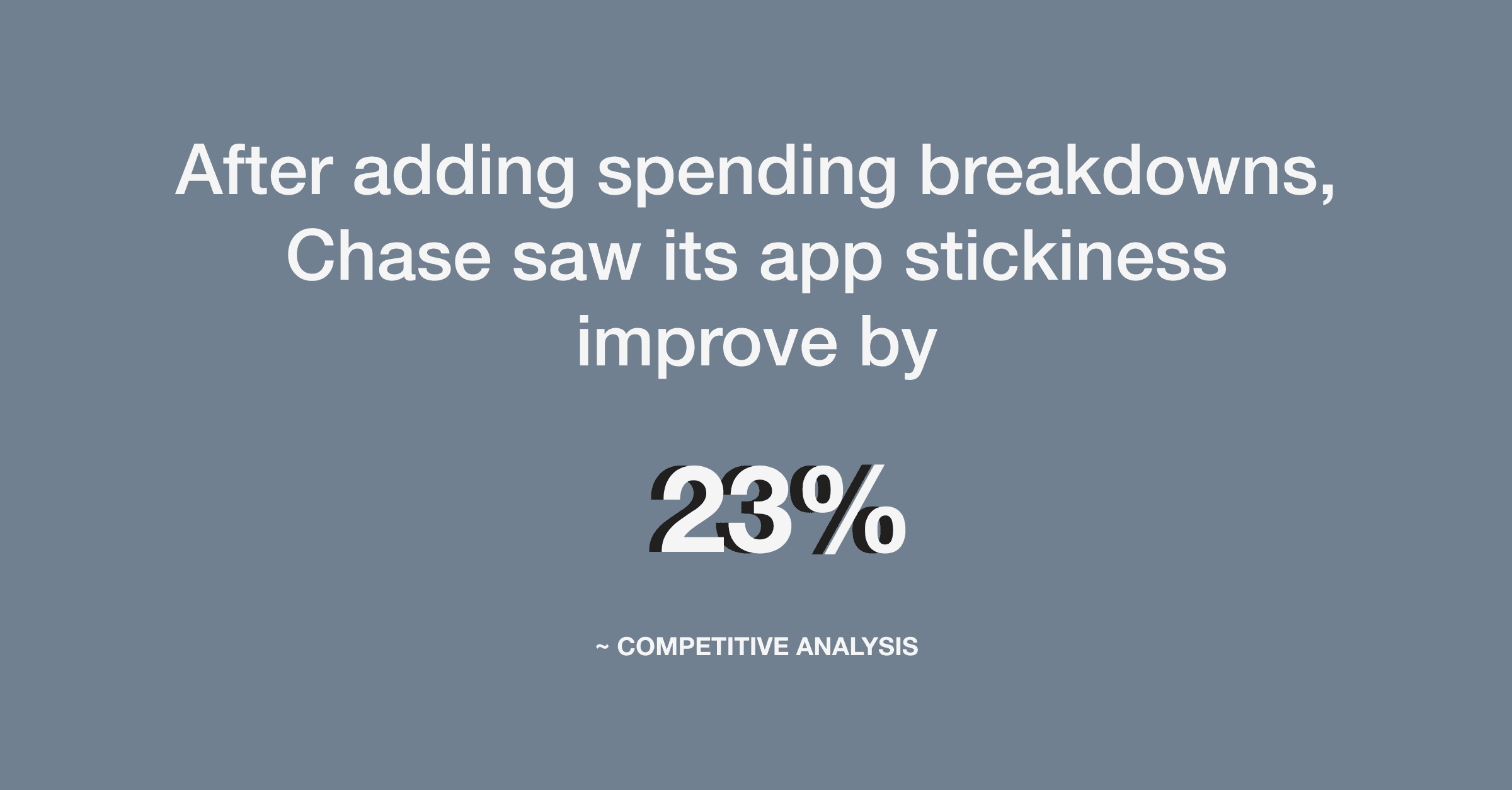
Meanwhile, Chase launched categories and saw 23% higher app engagement. The gap was costing Amex both satisfaction and loyalty.
My challenge: Design an intuitive categorization feature worth staying for.
Final Design: Amex Smart View
Core Features:
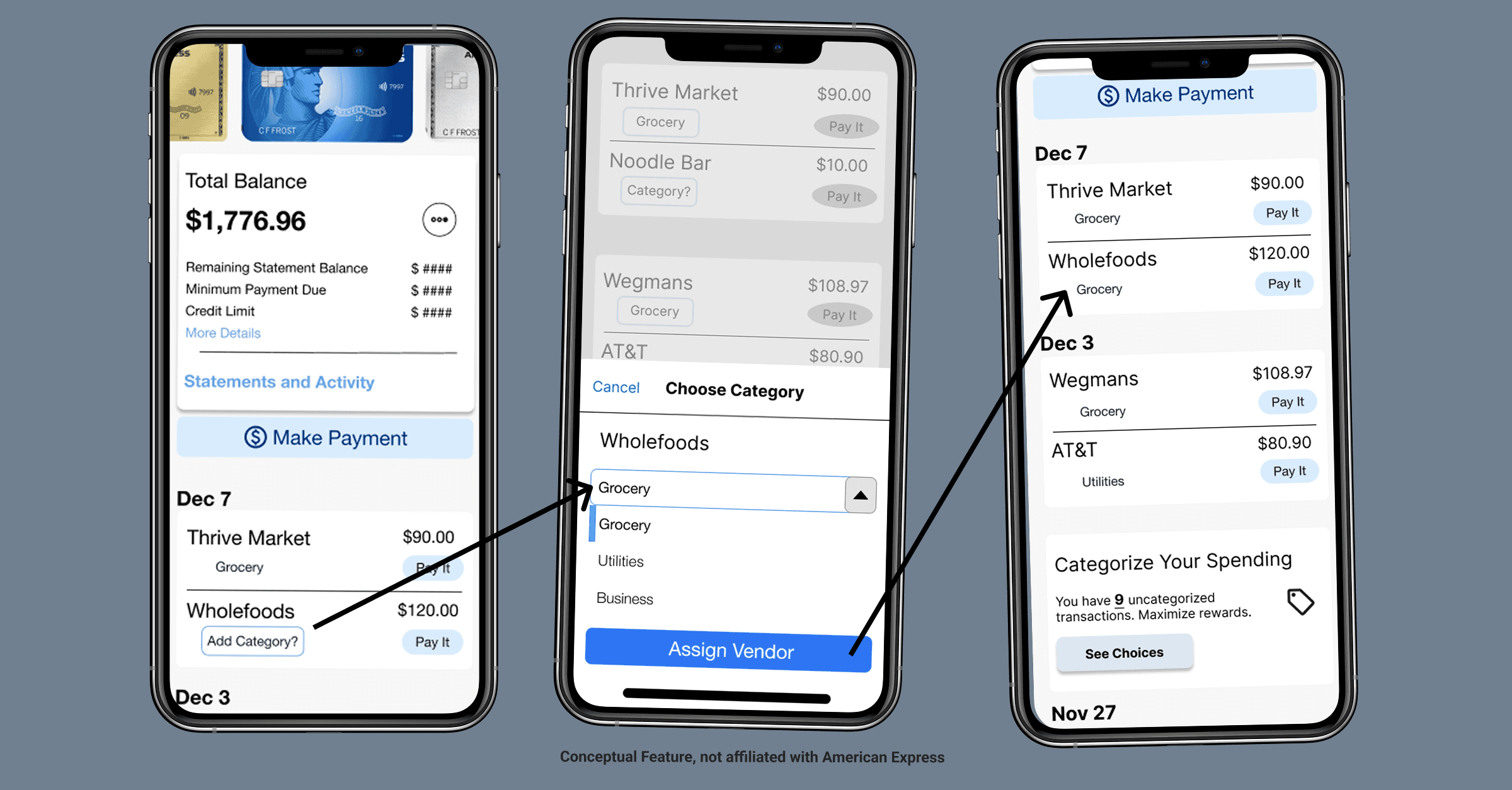
Categorize expenses with intuitive flow
Visualize spending through interactive charts
Pay category totals with one tap
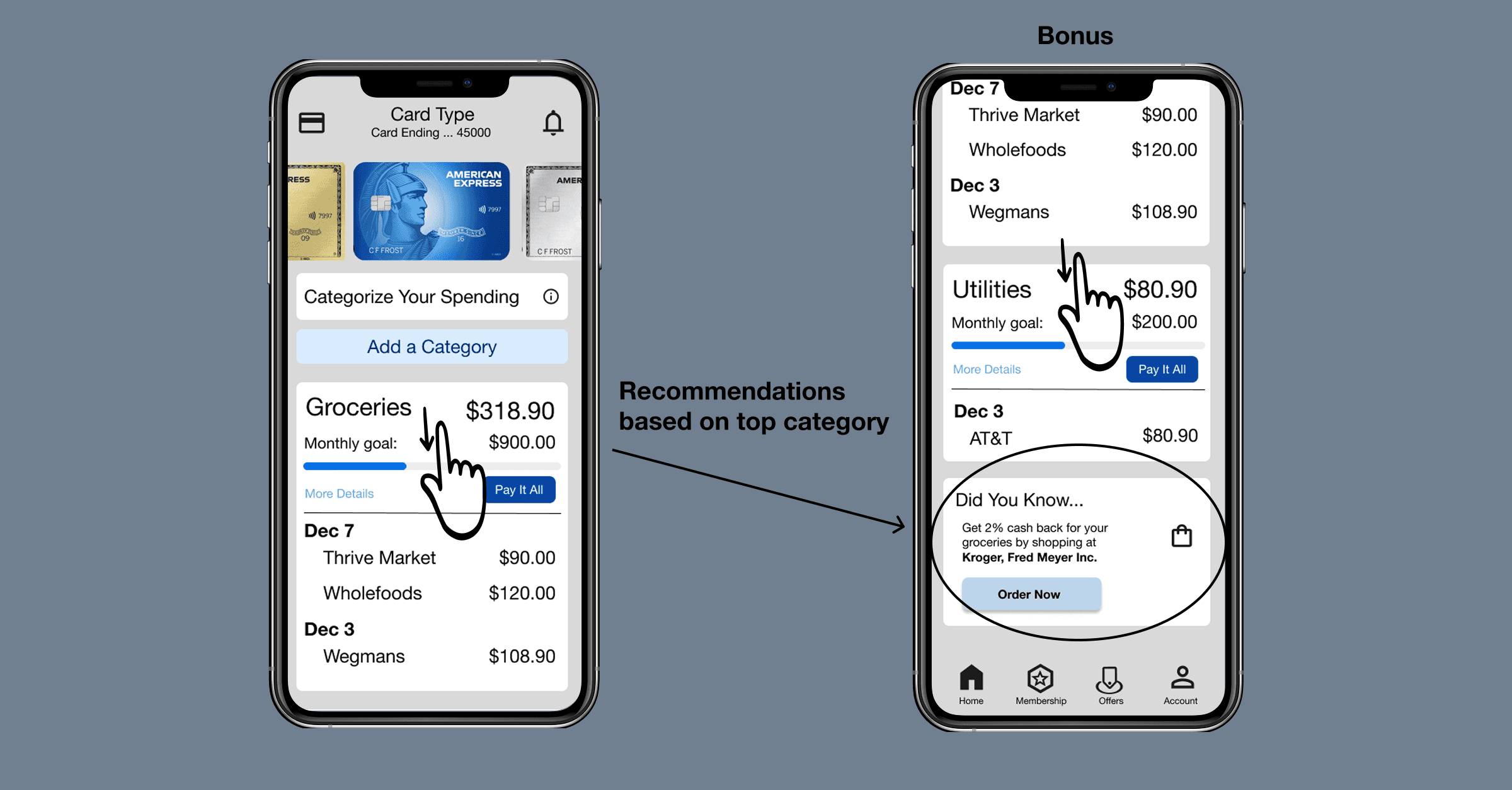
Get AI-powered store recommendations based on top categories
New Buttons on Home
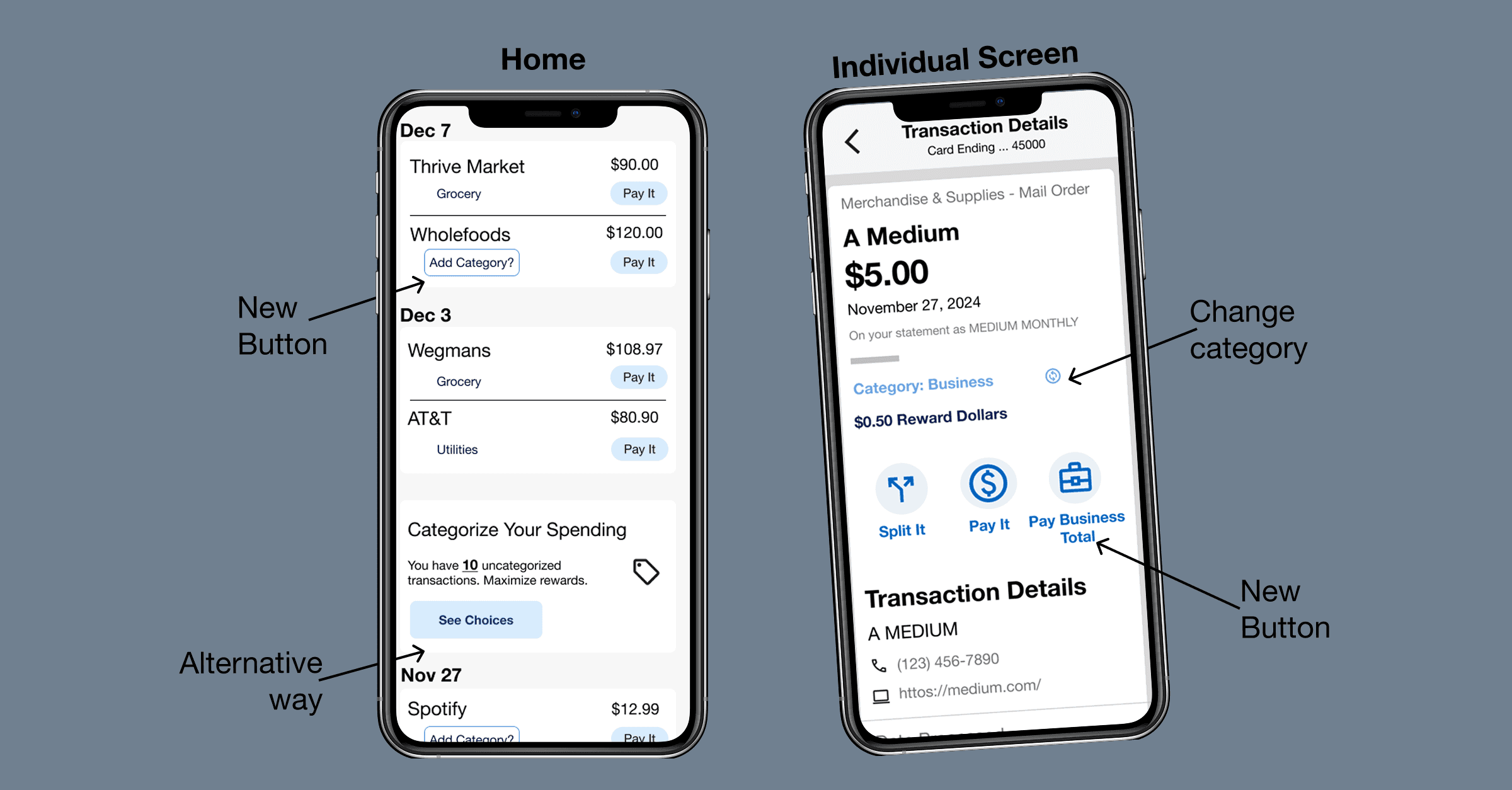
Categorize an Expense
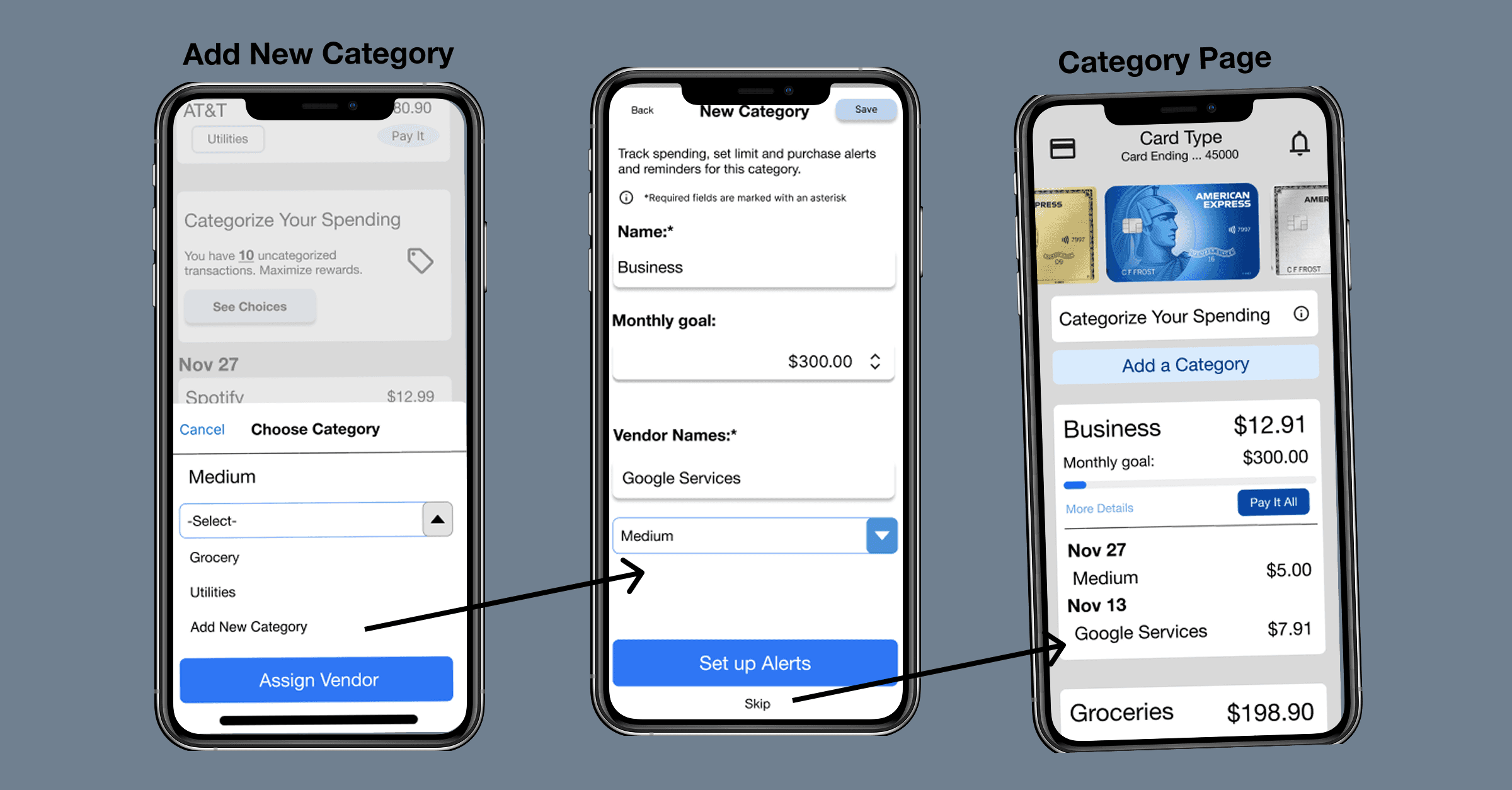
Add a New Category
AI Recommendation with rewards
Solution Impact
Research Uncovered Real Frustration
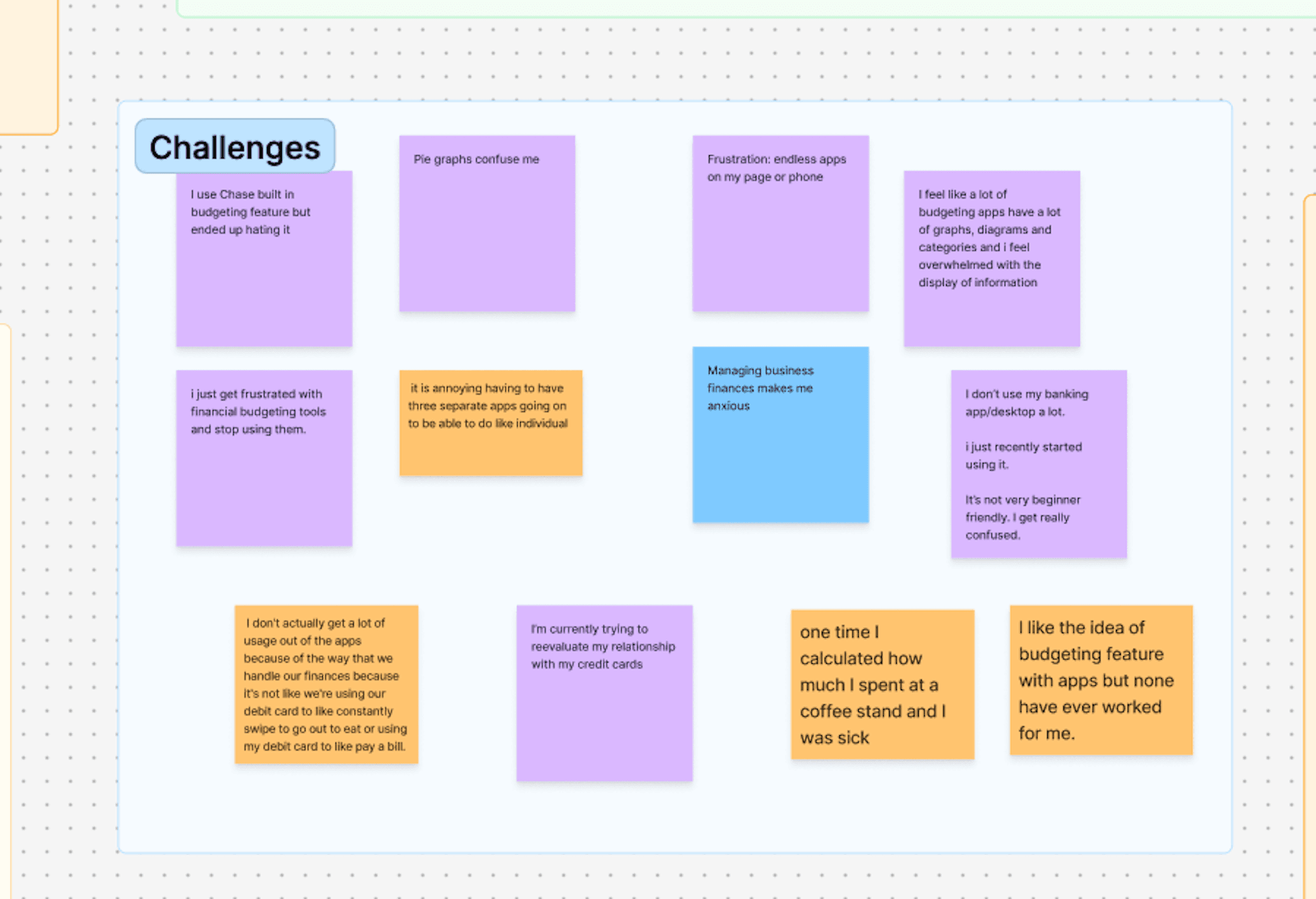
Key insight from 5 user interviews: 60% said "I treat my credit card like a debit card" — they need essential categories like Groceries and Eating Out, not complex finance tracking.
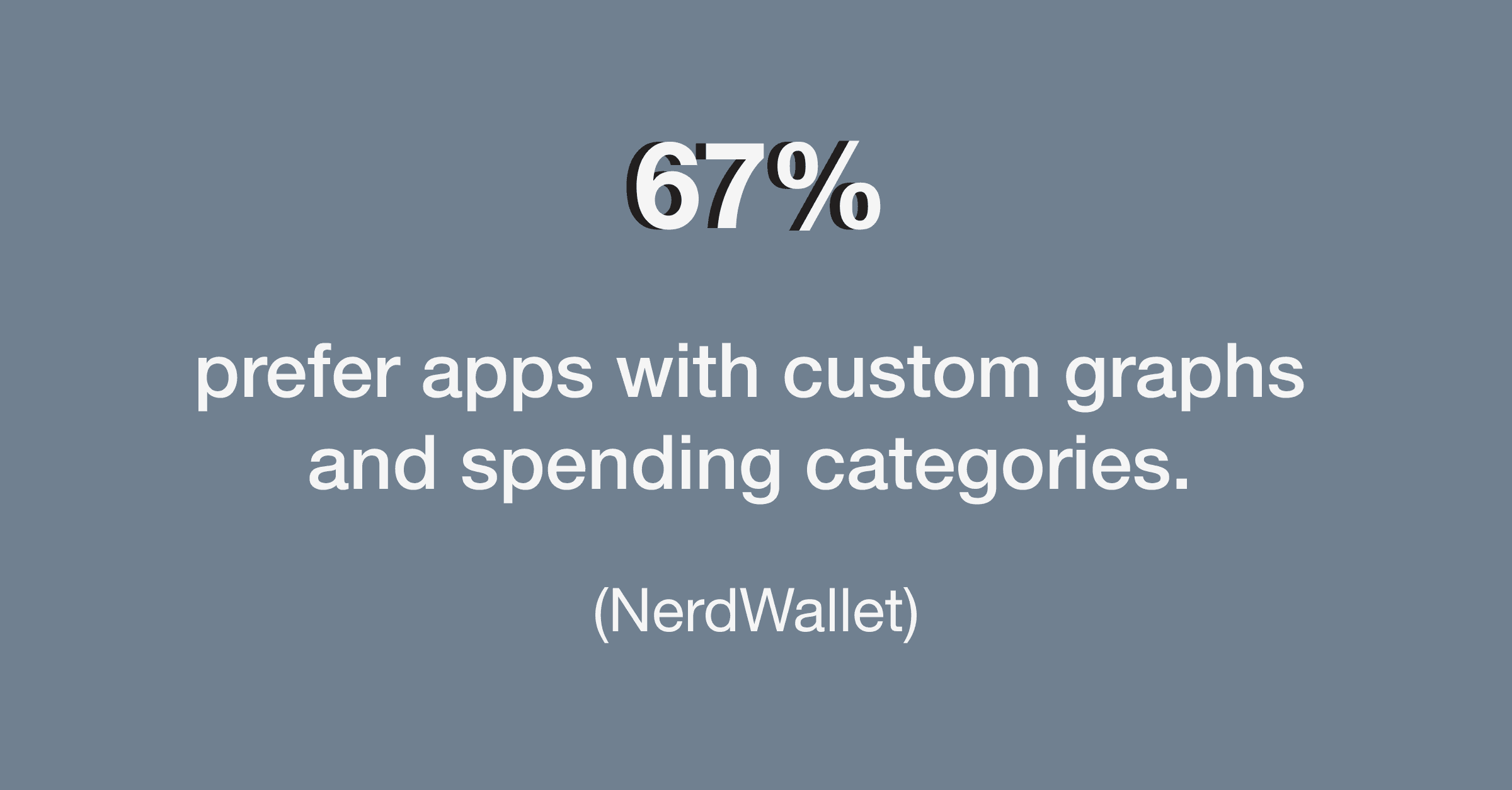
What Gen Z and Millennials want: 75% prefer visual, interactive spending tools over traditional pie charts (NerdWallet)
Competitive pressure: Chase and Capital One are setting new expectations with dynamic breakdowns. Without native categorization, Amex risks losing users to AI-powered personalization.
Research Methods:
Affinity mapping to identify behavioral patterns
Venn diagrams aligning user + business goals
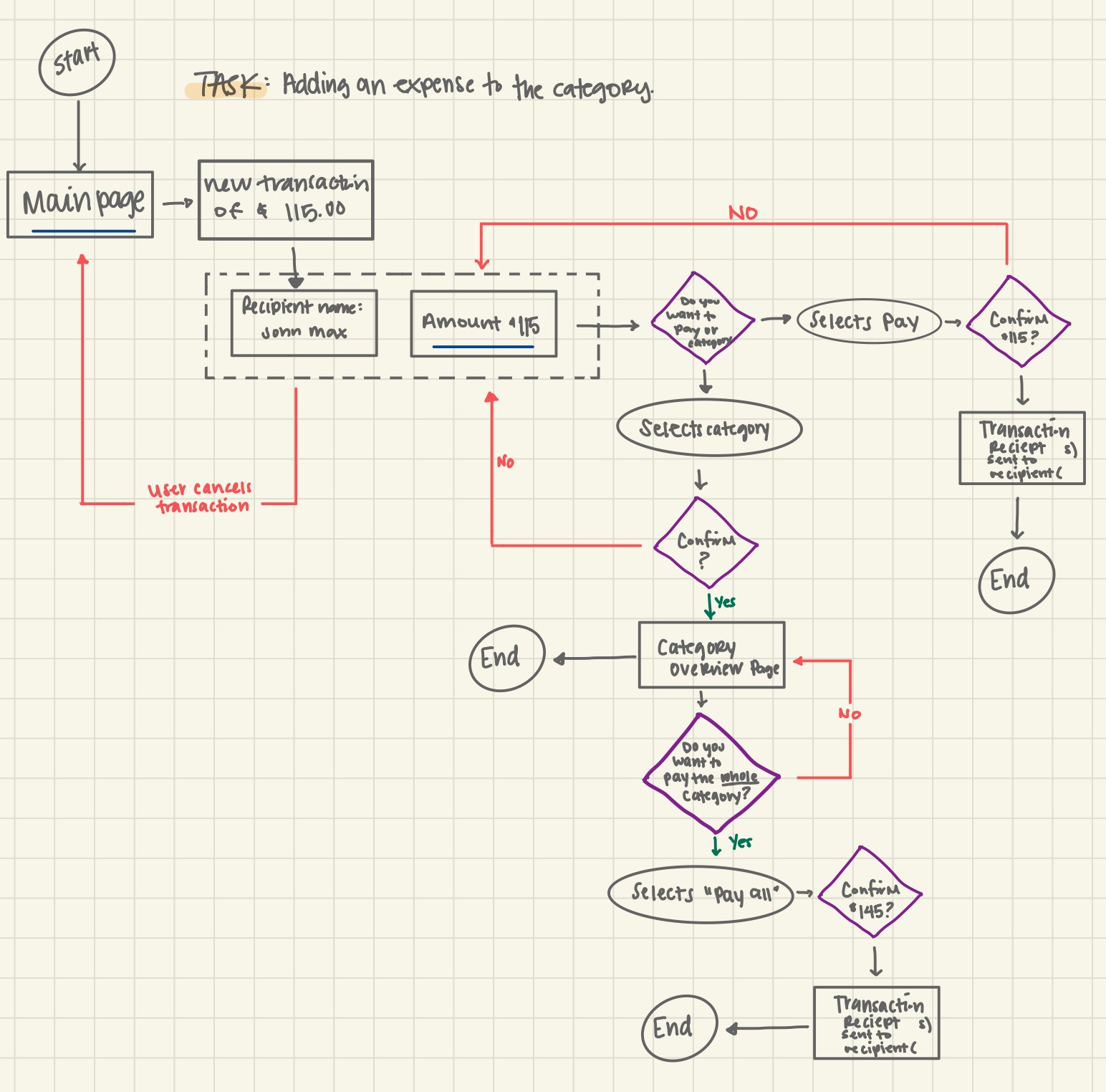
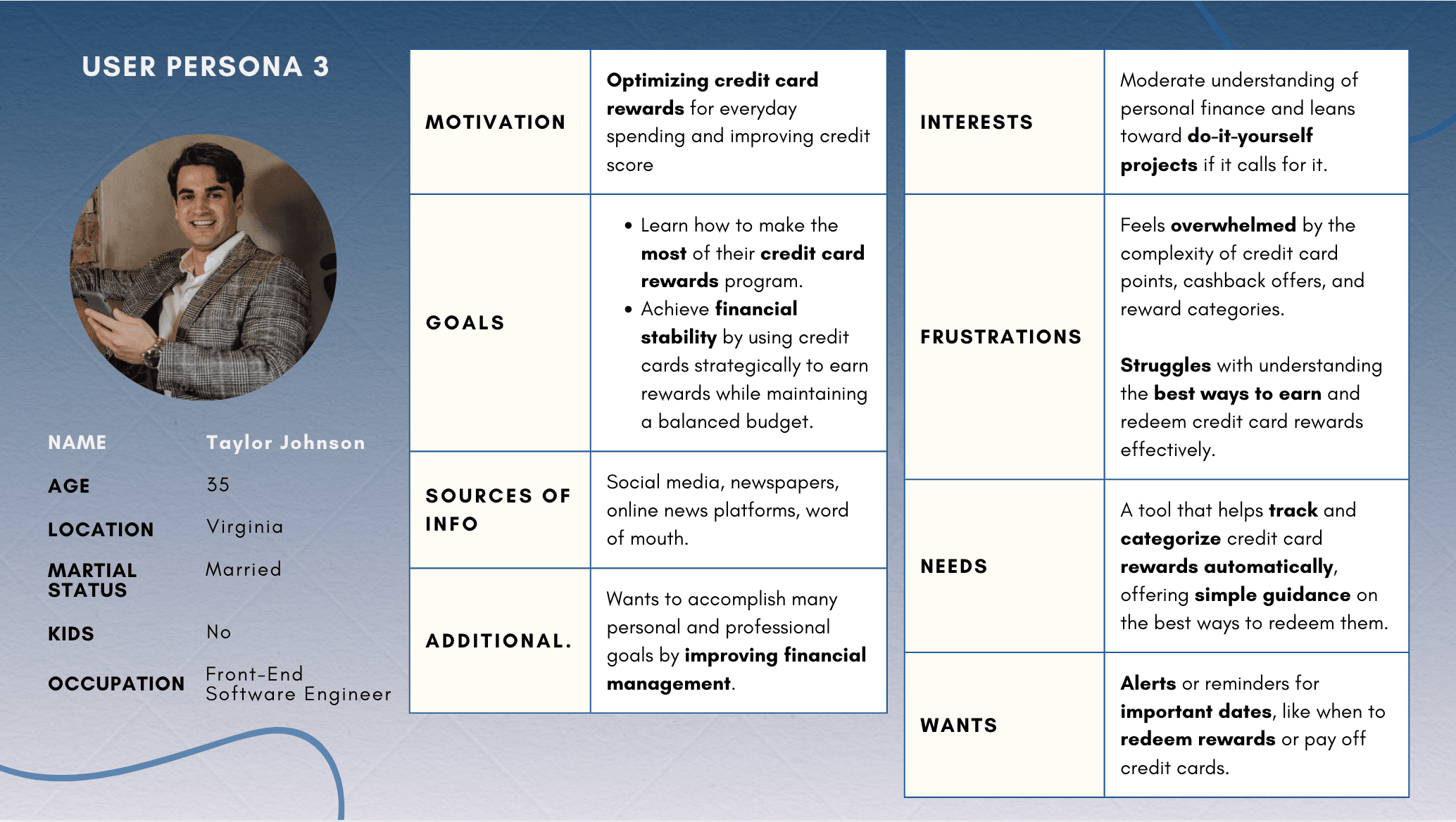
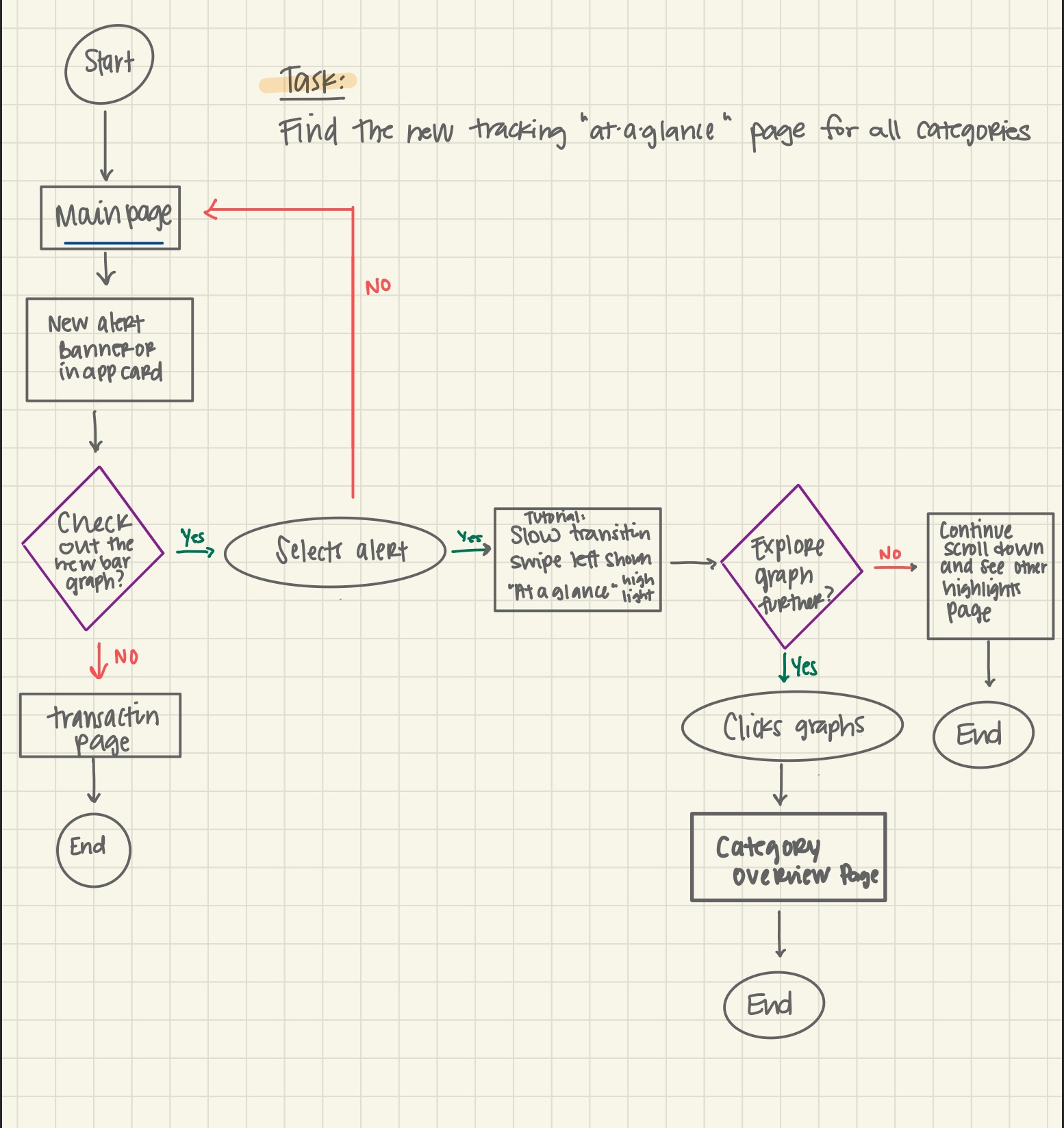
Personas and task flows shaping the app journey
Design Process
Discovery & Wireframing
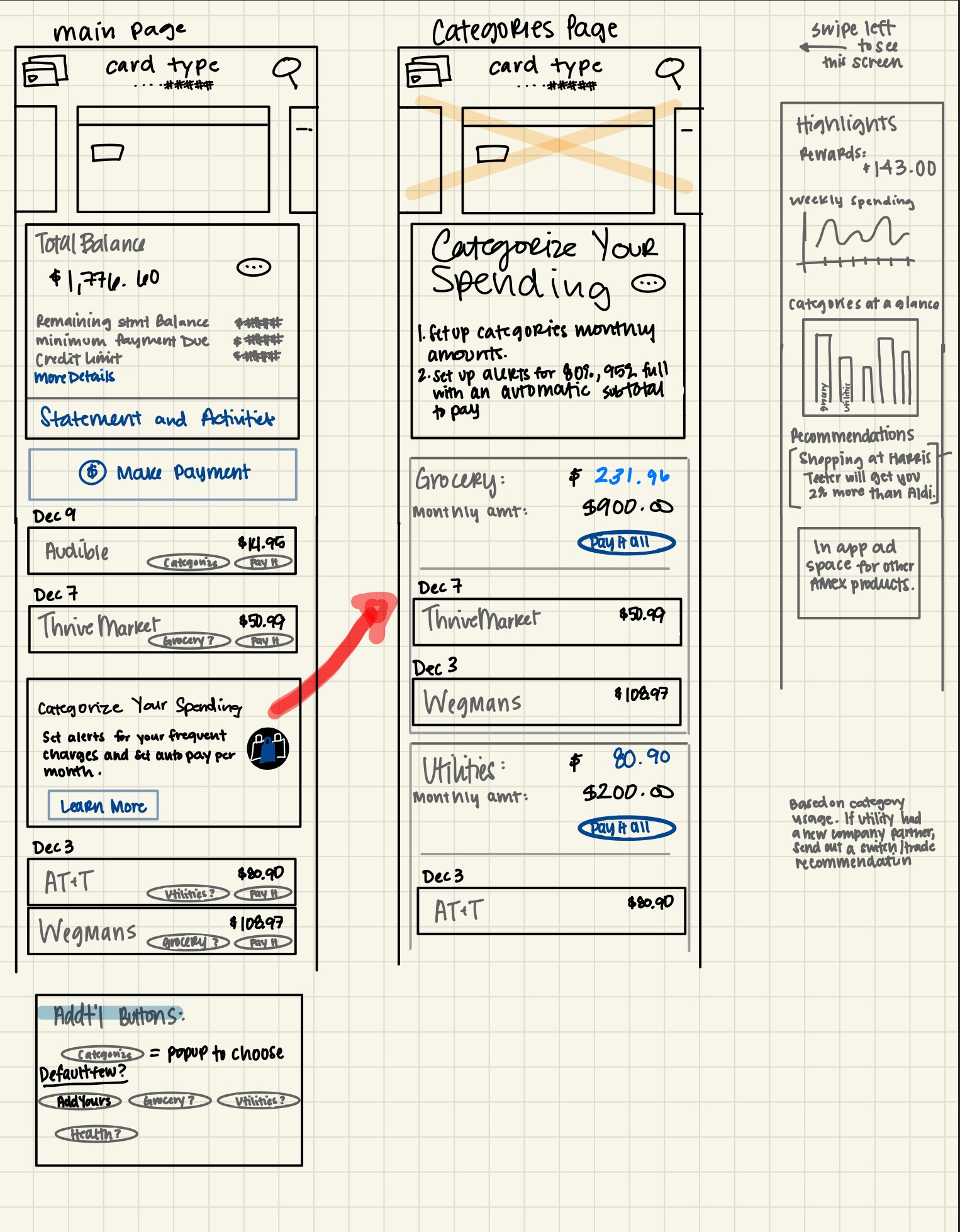
Hand-sketched task flows and low-fi wireframes to explore multiple approaches. Discovered desktop had a "tags" feature. I adapted it for mobile and added one-tap payment for category totals.
Iteration insight: Changed "monthly goal" to "monthly amount" after users confused it with savings.
Testing Revealed Opportunities
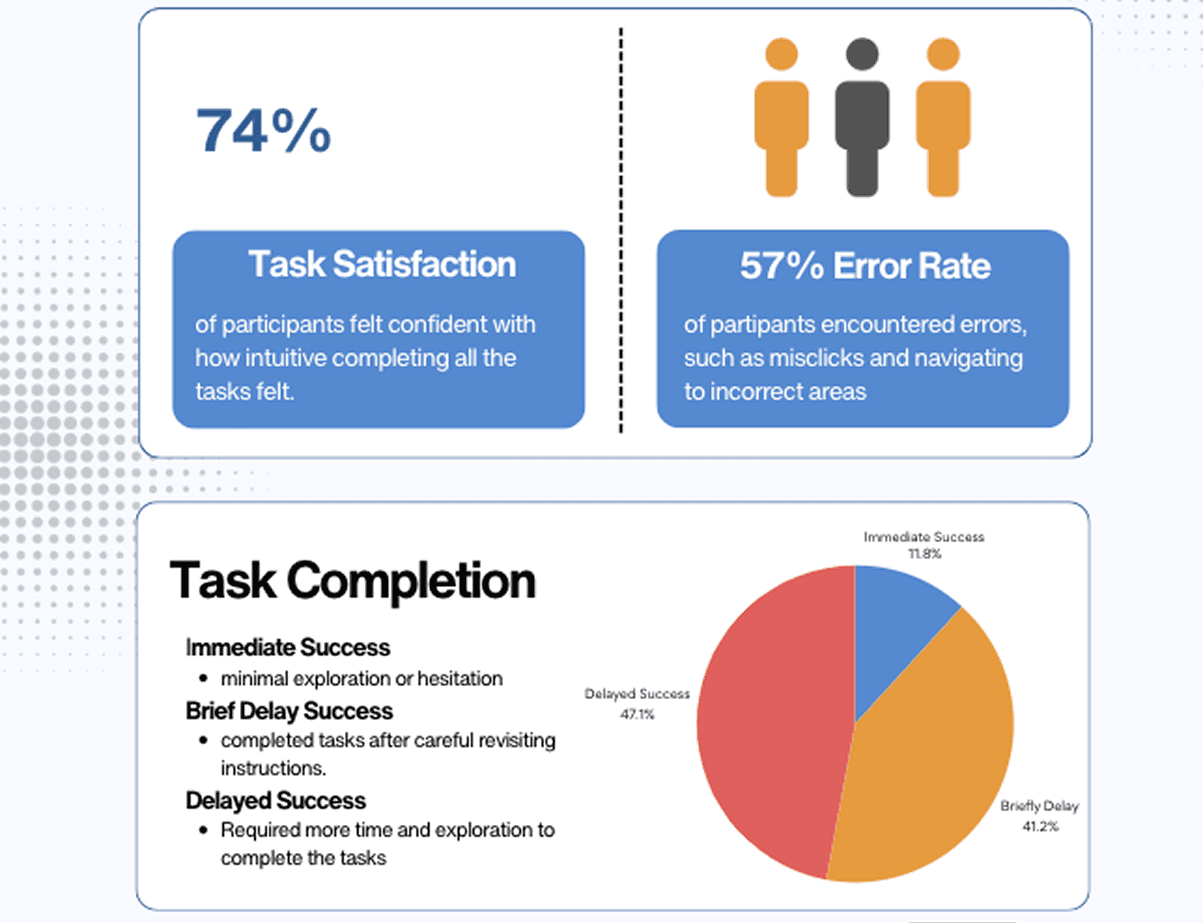
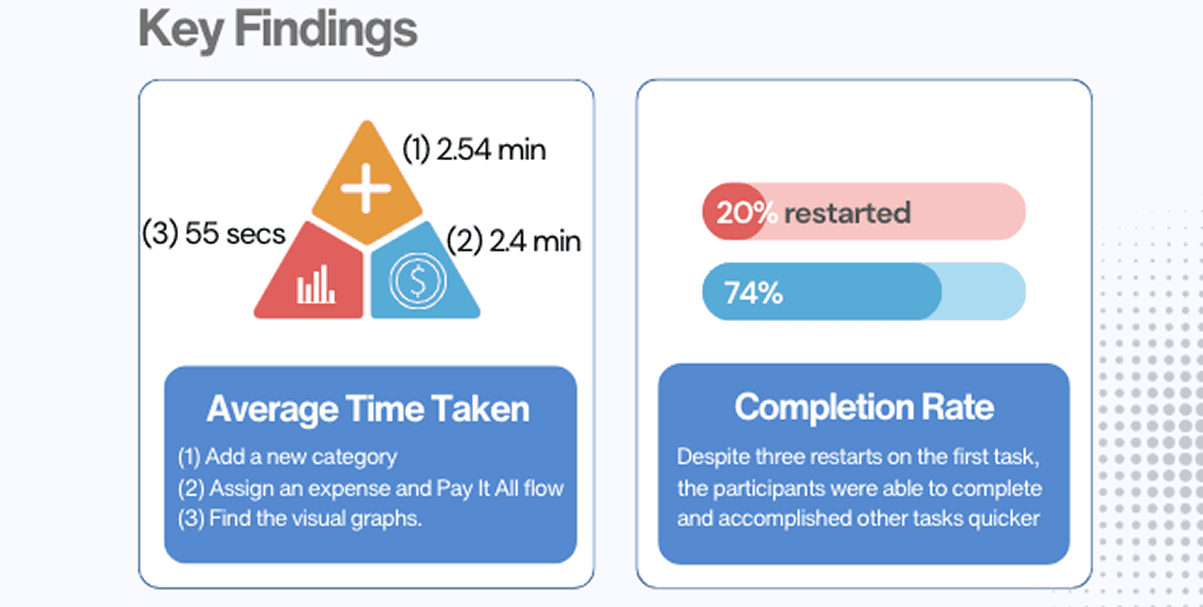
13 participants in early feedback helped refine navigation and priorities. Later usability testing with 5 new users showed:
Growth signal: Several said they'd consider switching to Amex for this feature.
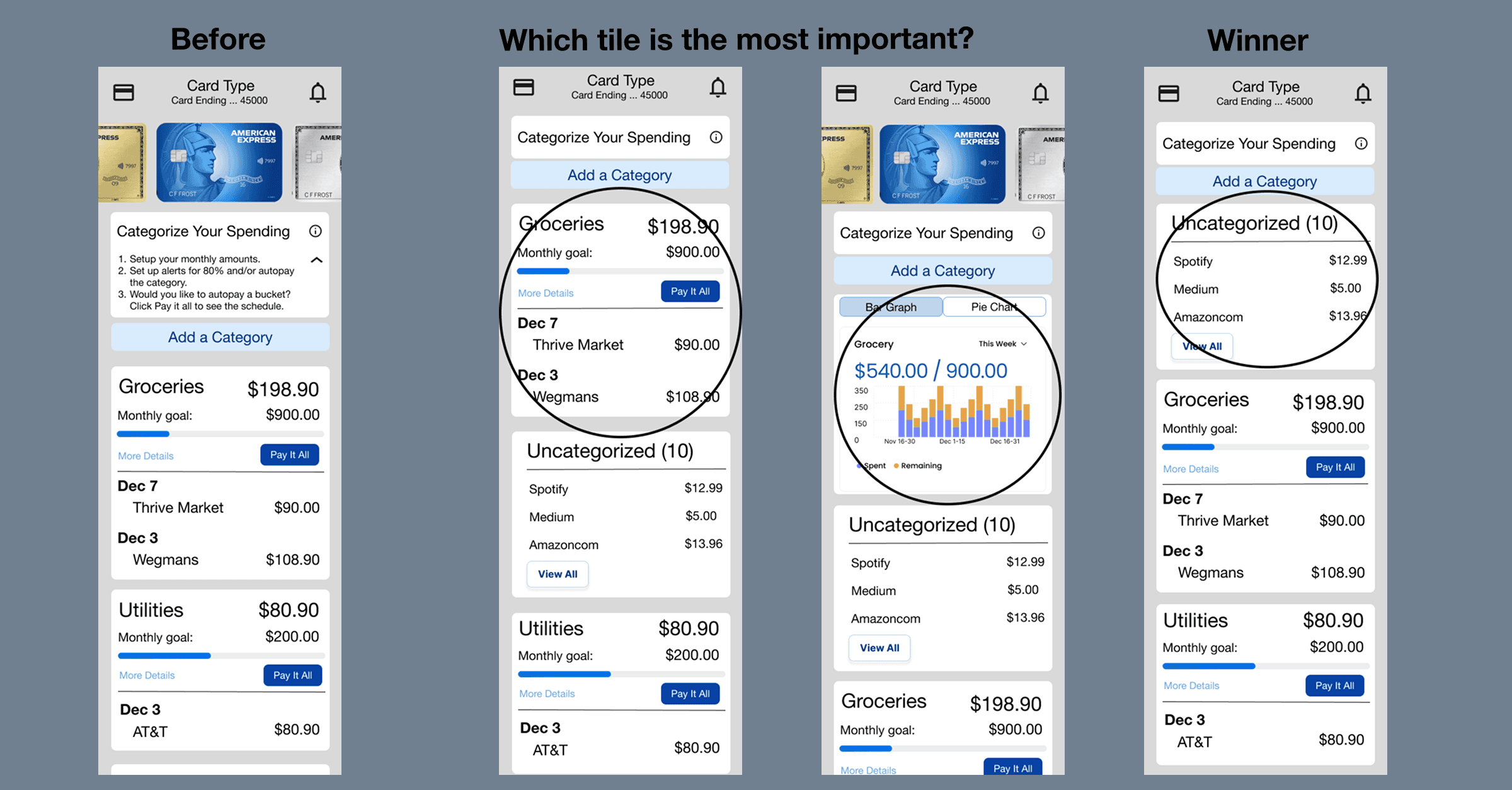
Friction point: "Categorize?" button wasn't noticeable enough, two users restarted the flow.
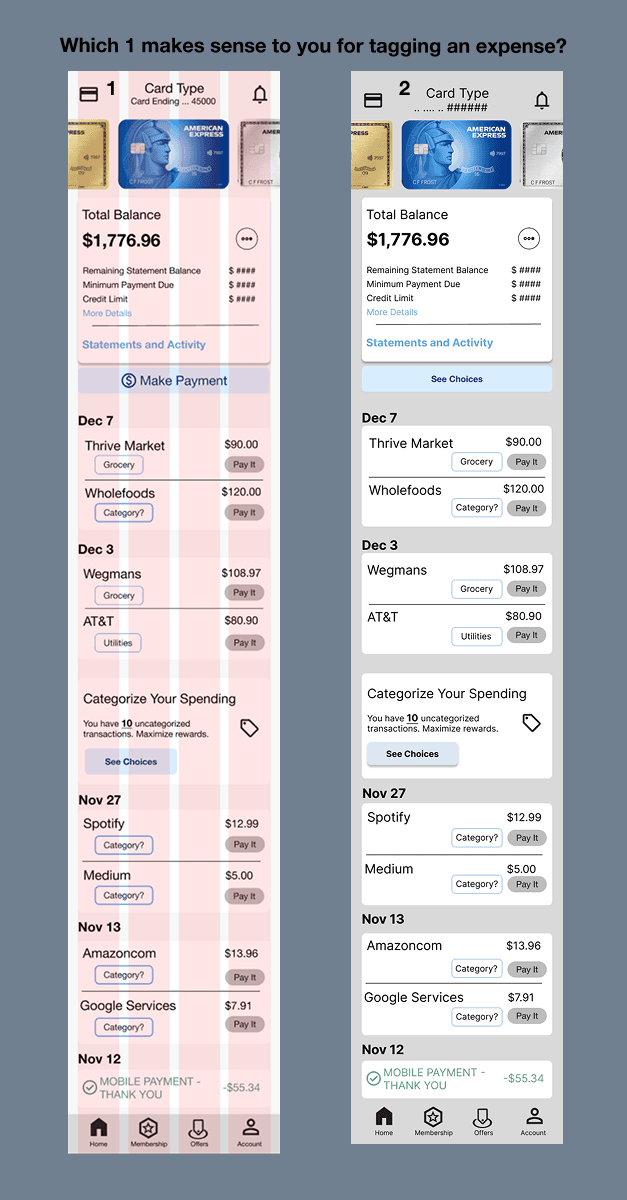
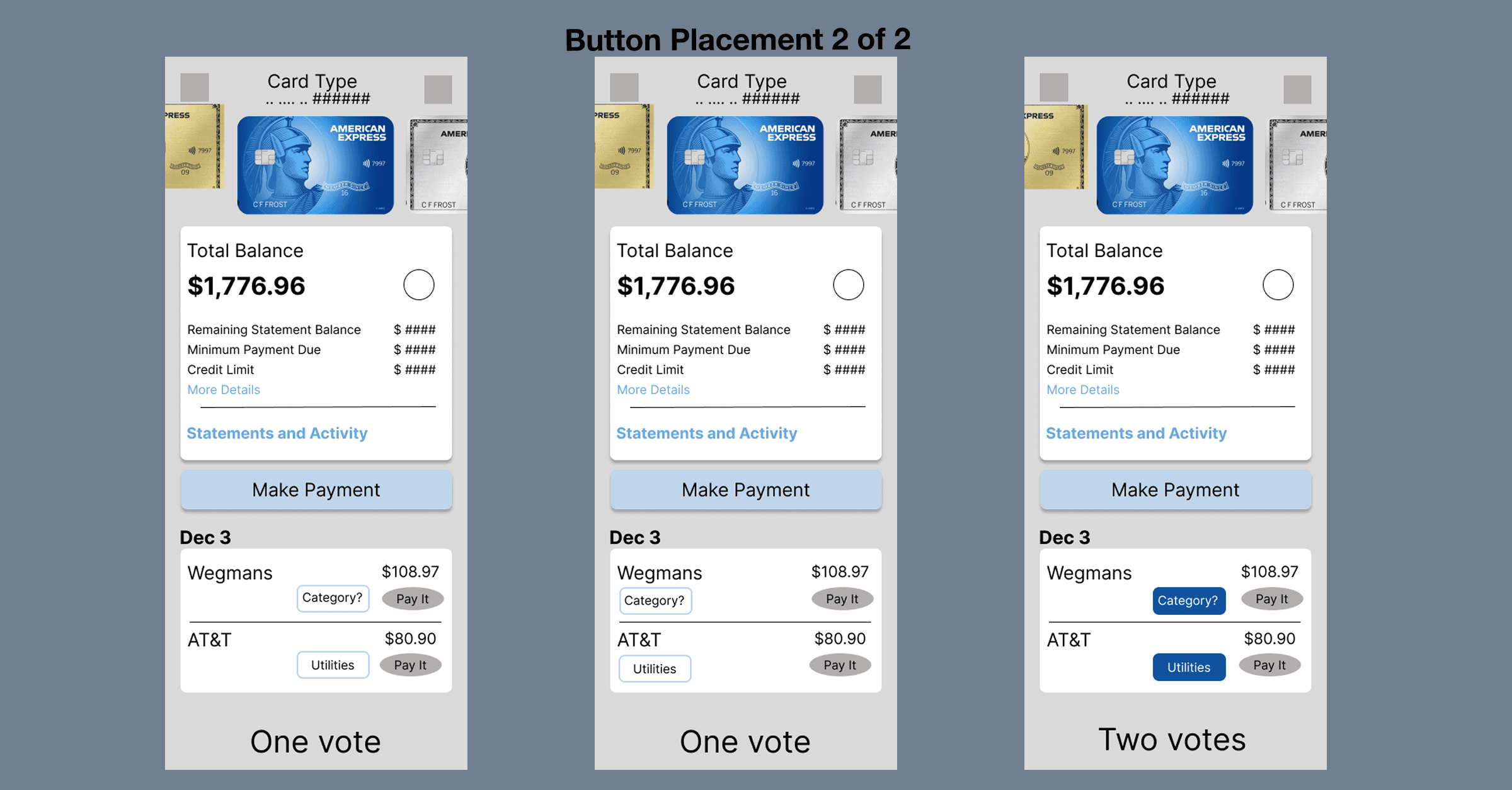
Based on testing, I:
Improved "Categorize?" button visual states and added hover
Thickened outlines for uncategorized items
Added list view of uncategorized transactions
Connected chart visuals with "Pay All" action
What I Learned
Language shapes behavior: Even one word like "goal" vs. "amount" significantly impacted user understanding. Content strategy proved as critical as visual design.
Constraints drive creativity: Designing within Amex's established system taught me how to innovate while respecting patterns that users trust.
Clarity beats cleverness: Testing with non-Amex users reinforced that discoverable, clearly labeled actions drive higher ease-of-use scores and trust.
Recruiter Quick Facts
See the new page in preview